Exchange Server SE - The beginning of a new Era !
May 7, 2024, 12:40 pm
Today we got some exciting news about the new Exchange features that is coming ! Finally the Exchange 2019 successor got named as Exchange Server Subscription Edition (SE).
The releasing will be in late 2025 (Q3), with a possible CU1 in Q4 of 2025.
Exchange Server 2019 will got a final CU, the CU15, that will prepare the 2019 to be Exchange Server SE.
If you are already at the latest Exchange CU, the update is like only to install a CU.

As the CU prepare the server to be ready for Exchange Server SE, some major change will happen in that CU15, as;
- Adding support for TLS1.3
- Adding back the long awaited certificate management in the EAC.
For the other minor changes and all the details, there is the link to the full article !
Exchange Server Roadmap Update
Be ready by be up to date ! and to be secure too at the same time :)
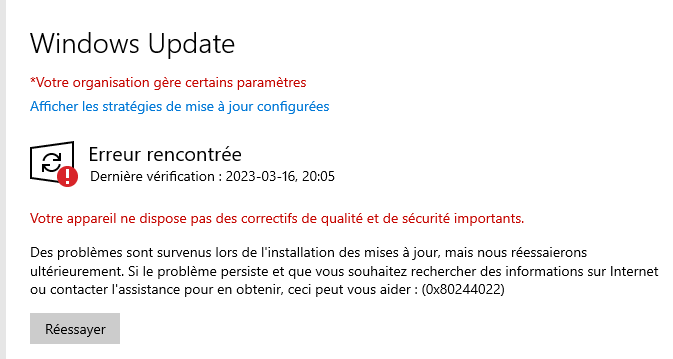
WSUS Windows Update error 0x80244022
January 15, 2024, 1:41 pm
Hi everyone !
Todya I wanted to share a bug you can encounter on your computer and Windows Server Update Service's server.
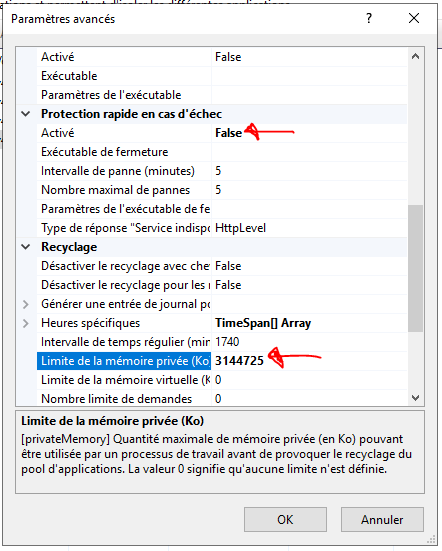
This is the event id 0x80244022, and the reason is a faulting App in the IIS AppPool. You can enlarge the memory to have it work better.
I set 3G, but at 0 it's unlimited .
There the step to do it;
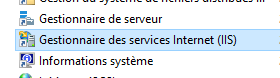
Open IIS Manager
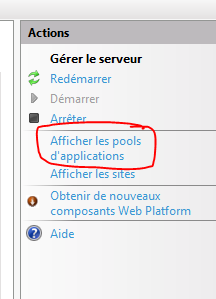
Click to show the App pools;
Click on WsusPool, stop it if not stopped.

Right click in Advanced detail, and look for those settings to change;
Active Directory - Delegate to Disable Users
December 19, 2023, 10:39 am
Hi everyone
Today I wanted to talk a older topic, but still up to date, as I had to do it lately :)
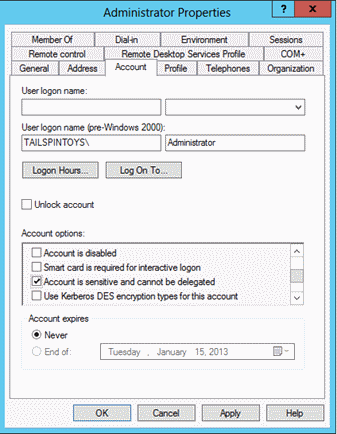
If you want to delegate the control to an group / user to disable some Active Directory user you must delegate control to the user to read/write on the userAccountControl field.
That field is used there inside that windows (first pic took from there);
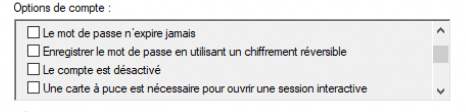
To be more exact, the filed control those options;
In the Active Directory User and Computer's applet you can click to delegate;
After you click to enable the delegation only for users account;
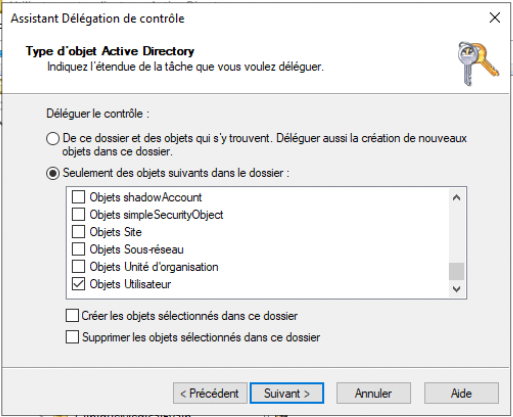
After we click on read/write userAccountControl;
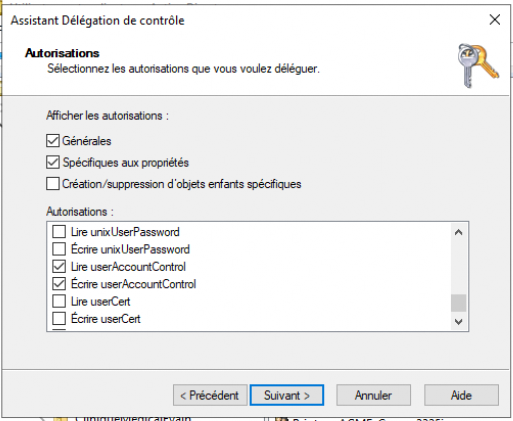
And that's all, it should work after :)
For reference the field hold these values; (reference)
| Property flag | Value in hexadecimal | Value in decimal |
|---|---|---|
| SCRIPT | 0x0001 | 1 |
| ACCOUNTDISABLE | 0x0002 | 2 |
| HOMEDIR_REQUIRED | 0x0008 | 8 |
| LOCKOUT | 0x0010 | 16 |
| PASSWD_NOTREQD | 0x0020 | 32 |
| PASSWD_CANT_CHANGE You can't assign this permission by directly modifying the UserAccountControl attribute. For information about how to set the permission programmatically, see the Property flag descriptions section. |
0x0040 | 64 |
| ENCRYPTED_TEXT_PWD_ALLOWED | 0x0080 | 128 |
| TEMP_DUPLICATE_ACCOUNT | 0x0100 | 256 |
| NORMAL_ACCOUNT | 0x0200 | 512 |
| INTERDOMAIN_TRUST_ACCOUNT | 0x0800 | 2048 |
| WORKSTATION_TRUST_ACCOUNT | 0x1000 | 4096 |
| SERVER_TRUST_ACCOUNT | 0x2000 | 8192 |
| DONT_EXPIRE_PASSWORD | 0x10000 | 65536 |
| MNS_LOGON_ACCOUNT | 0x20000 | 131072 |
| SMARTCARD_REQUIRED | 0x40000 | 262144 |
| TRUSTED_FOR_DELEGATION | 0x80000 | 524288 |
| NOT_DELEGATED | 0x100000 | 1048576 |
| USE_DES_KEY_ONLY | 0x200000 | 2097152 |
| DONT_REQ_PREAUTH | 0x400000 | 4194304 |
| PASSWORD_EXPIRED | 0x800000 | 8388608 |
| TRUSTED_TO_AUTH_FOR_DELEGATION | 0x1000000 | 16777216 |
| PARTIAL_SECRETS_ACCOUNT | 0x04000000 | 67108864 |
Migrate files server to the cloud - Hybrid GPO
December 11, 2023, 2:43 pm
Hi everyone
Today I wanted to two useful GPO if you migrate your file server to SharePoint online.
The GPO are to create automatically the OneDrive Sync to the document library, the some useful setting to push and a settings for the delay for applying the configuration.
The first GPO to apply is to create the Mount point for the selected user. I suggest to use the same security group as the mapped drive was.
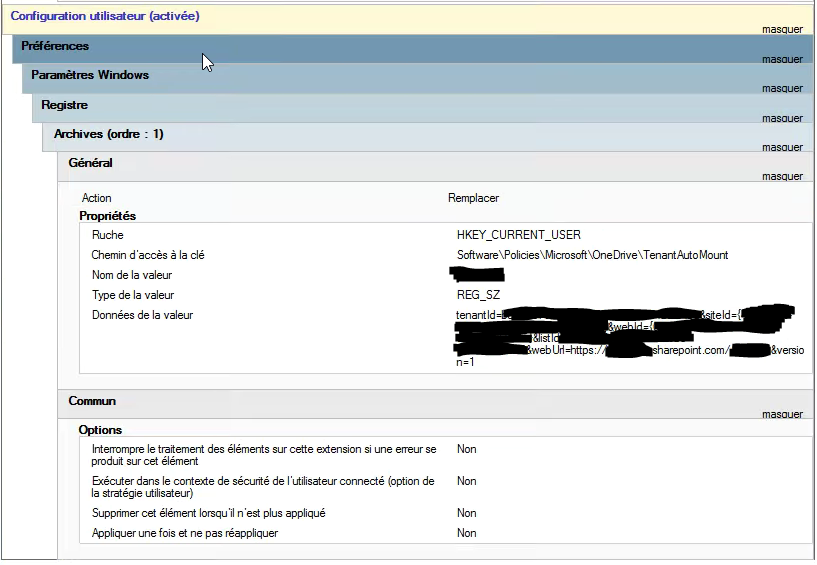
It's in HKEY_CURRENT_USER\Software\Policies\Microsoft\OneDrive\TenantAutoMount (REG_SZ)
Value Name = Text for the mount point to be created.
Value = Site URL
The site url can be obtained by navigating to the site, and click to Sync the site, it will offer an option to copy the link. The link must be un-escaped.
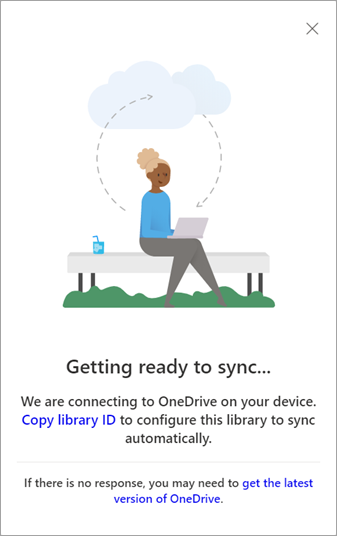
The link format is; tenantId=xxx&siteId=xxx&webId=xxx&listId=xxx&webUrl=httpsxxx&version=1
To un-escape use PowerShell, it's the easiest to do;
::UnescapeDataString("Copied String")
To that GPO can be added one more registry setting; its tagged as it will make the change appear more fast, but it's to test. On Reddit its a value that is tagged to be working for some, and not for other. On my side I seen a difference, maybe 10-20min and not near 8 hours, but it's maybe just the GPO time to apply.
HKCU\Software\Microsoft\OneDrive\Accounts\Business1
"TimerAutoMount"==dword:00000001
The last option I recommand is to make sure the File On Demand is activated, so that change in a computer GPO for that one;
HKLM\SOFTWARE\Policies\Microsoft\OneDrive
"FilesOnDemandEnabled"=dword:00000001
Microsoft 365 roadmap - MFA for admin portal in November 2023
October 26, 2023, 3:54 pm
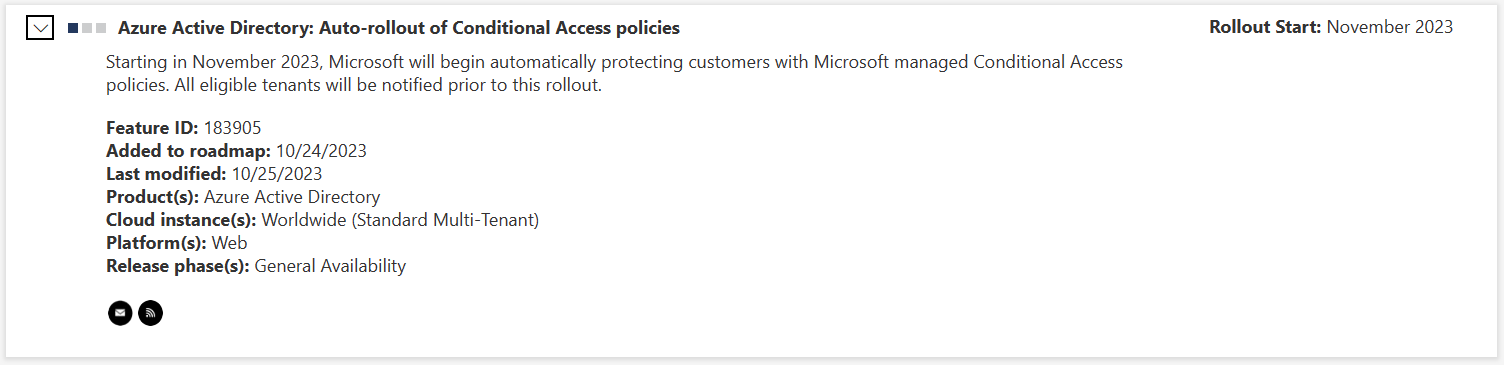
If you have Conditional Access rule inside your Entra tenant please make sure to see that roadmap;